
Targeted Advertising for the Novice
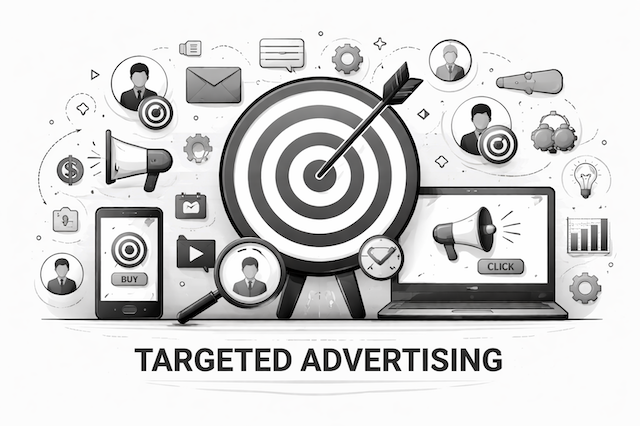
Advertising plays an important role in how websites and apps make money, but it often relies on data that many people don’t realize is being collected or shared. Some ads are based on your activity across multiple websites, while others are shown simply because of the page you’re viewing. Understanding these differences is important, especially as privacy expectations and regulations continue to grow. In this post, we’ll explain some common advertising approaches used today, how they work at a high level, and what they mean for user privacy, transparency, and trust.
Let’s dive into some helpful Definitions together…
Targeted advertising: Is a form of advertising where ads are shown to specific individuals or groups based on the data about them, rather than showing the same ad to everyone. Examples of the data used to target consumers:
Demographics (age range, location, language)
Interests and behaviors (websites visited, searches, app usage)
Purchase history
Device or context (mobile vs. desktop, time of day)
Identifiers (cookies, device IDs, hashed emails)
Cross-context behavioral advertising: Means the targeting of advertising to a consumer based on the consumer’s personal information obtained from the consumer’s activity across businesses, distinctly-branded websites, applications, or services other than the business, and with which the consumer intentionally interacts.
Nonpersonalized (or Contextual) advertising: Means advertising and marketing that is based solely on a consumer’s personal information derived from the consumer’s current interaction with the business with the exception of the consumer’s precise geolocation.
Lookalike audiences: Ads shown to people similar to existing customers. They are groups of people selected for advertising because they share similar characteristics, behaviors, or attributes with an existing set of users (often called a source audience), such as current customers, website visitors, or newsletter subscribers.
Common identifiers: Are data elements used to recognize, link, or distinguish a person, device, or browser over time and across interactions. They allow systems to associate multiple activities, events, or data points with the same individual or endpoint, even when the person’s real-world identity (like name or email) is not directly known. In advertising and analytics, common identifiers are foundational to tracking, profiling, personalization, and targeted advertising. Examples of common identifiers used include the following but are not limited too:
HTTP cookies (first-party or third-party)
LocalStorage keys (persistent user IDs)
SessionStorage IDs
Mobile advertising IDs (IDFA, GAID)
Hashed email (logged-in users)
Server-side IDs (linked to cookies)
Let’s dive into some code examples together that really helped me…
Targeted Advertising Based on User Behavior
Capture User Behavior (Frontend) — A user showed interest in privacy related content.
<button id="privacyArticle">Read Privacy Article</button>
<script>
document.getElementById("privacyArticle").addEventListener("click", () => {
    const eventPayload = {
        userId: "user_12345",
        eventType: "CONTENT_VIEW",
        category: "privacy",
        timestamp: new Date().toISOString()
    };

    fetch("/api/track-event", {
        method: "POST",
        headers: {
            "Content-Type": "application/json"
        },
        body: JSON.stringify(eventPayload)
    });
});
</script>
Store the Targeting Signal (Backend) — The system now knows user_12345 is interested in privacy.
from flask import Flask, request, jsonify
app = Flask(__name__)
user_profiles = {}
@app.route("/api/track-event", methods=["POST"])
def track_event():
    data = request.json
    user_id = data["userId"]
    category = data["category"]
    user_profiles.setdefault(user_id, set()).add(category)
    return jsonify({"status": "tracked"})
Ad Selection Logic (Targeted Advertising) — Targeting decision is made based on user behavior.
ADS = [
    {
        "id": "ad_1",
        "category": "privacy",
        "content": "Protect your data with Privacy Intelligence Delivered."
    },
    {
        "id": "ad_2",
        "category": "marketing",
        "content": "Boost your conversions with smarter ads."
    }
]

def select_targeted_ad(user_id):
    user_interests = user_profiles.get(user_id, [])

    for ad in ADS:
        if ad["category"] in user_interests:
            return ad

    return {
        "id": "ad_generic",
        "content": "Explore our latest tools and services."
    }
Serve the Ad (Backend) — Sends to the Frontend.
@app.route("/api/get-ad", methods=["GET"])
def get_ad():
    user_id = request.args.get("userId")
    ad = select_targeted_ad(user_id)
    return jsonify(ad)
Serve the Ad (Frontend) — Frontend displays the ad.
<div id="ad"></div>
<script>
fetch("/api/get-ad?userId=user_12345")
    .then(res => res.json())
    .then(ad => {
        document.getElementById("ad").innerText = ad.content;
    });
</script>
Privacy-Safe Variant
if (userHasConsentedToTargetedAds) {
    trackBehavior();
} else {
    showContextualAd();
}
Why This Is Targeted Advertising
Because:
The ad is shown because of prior behavior
The ad is not shown to everyone
The system profiles the user’s interests
The ad decision is data-driven
Typical Real-World Flow
Cookie is set — Often on the first visit.
<script>
function getOrCreateUserId() {
    let userId = document.cookie
        .split("; ")
        .find(row => row.startsWith("uid="))
        ?.split("=")[1];

    if (!userId) {
        userId = crypto.randomUUID();
        document.cookie = `uid=${userId}; path=/; max-age=31536000`;
    }
    return userId;
}
</script>
Behavior — Is captured using that cookie.
<script>
const userId = getOrCreateUserId();
const eventPayload = {
    userId: userId,
    eventType: "CONTENT_VIEW",
    category: "privacy",
    timestamp: new Date().toISOString()
};

fetch("/api/track-event", {
    method: "POST",
    headers: { "Content-Type": "application/json" },
    body: JSON.stringify(eventPayload)
});
</script>
Why This Is Targeted Advertising
Because:
A persistent identifier (cookie)
Is used to track behavior over time
To influence advertising decisions
Cookies + Behavior = Targeted Advertising